For hourly workers · iOS & Android

Know what you're owed.To the minute.

Log your hours, let Flex 40 work out the overtime your employer should be paying, and catch the paychecks that come up short — before it quietly becomes normal.

Coming soonApp Store Coming soonGoogle Play
No account required Works offline One-time purchase
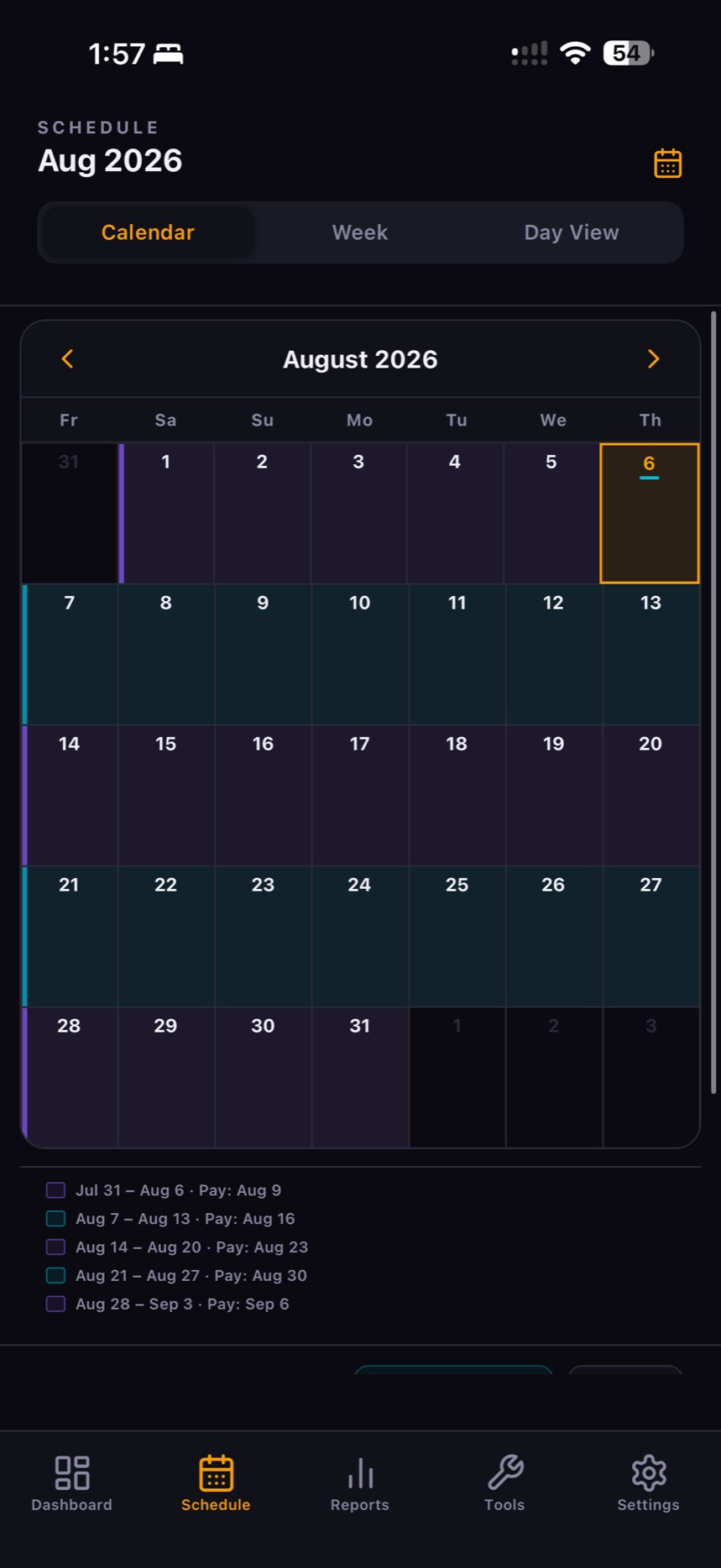
Flex 40 schedule calendar showing pay periods for August
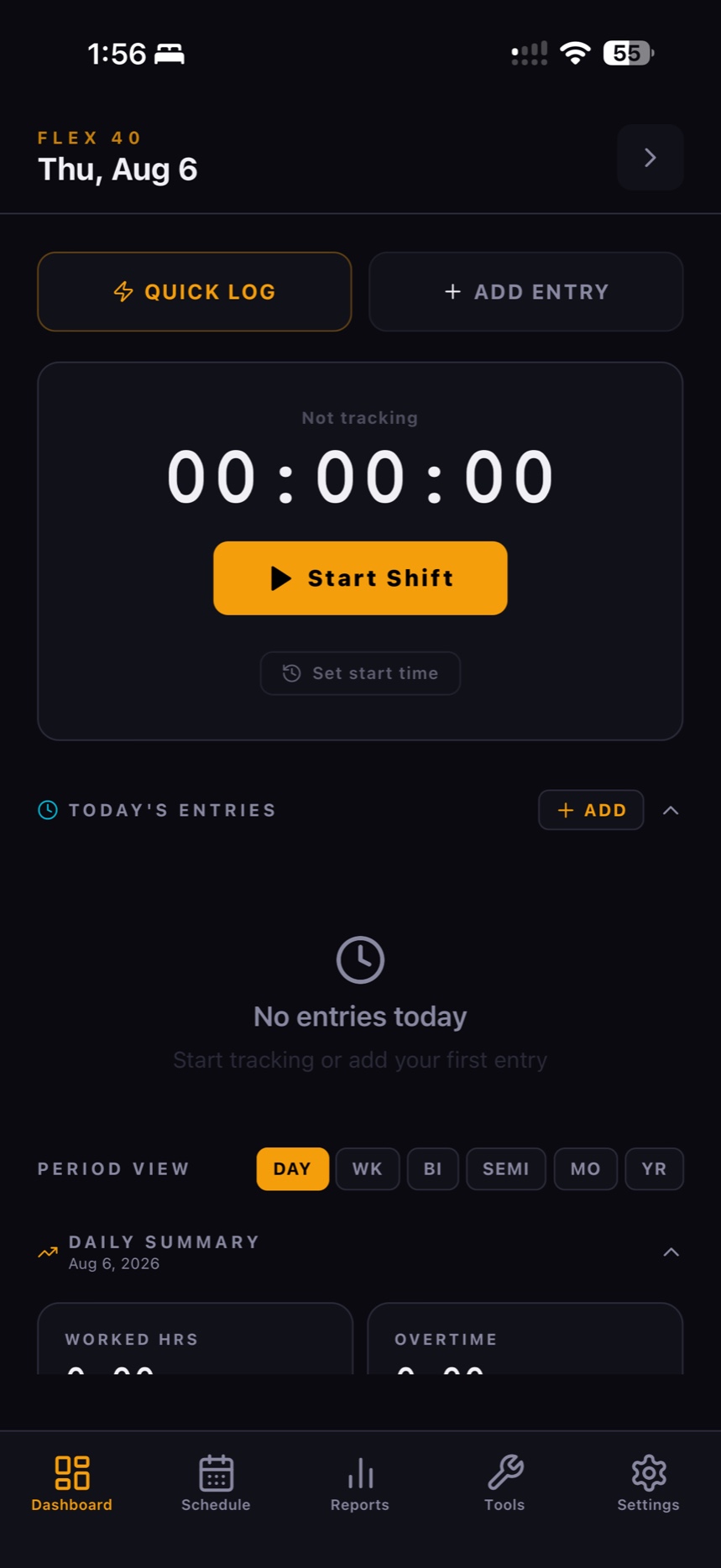
Flex 40 dashboard with shift timer and daily summary
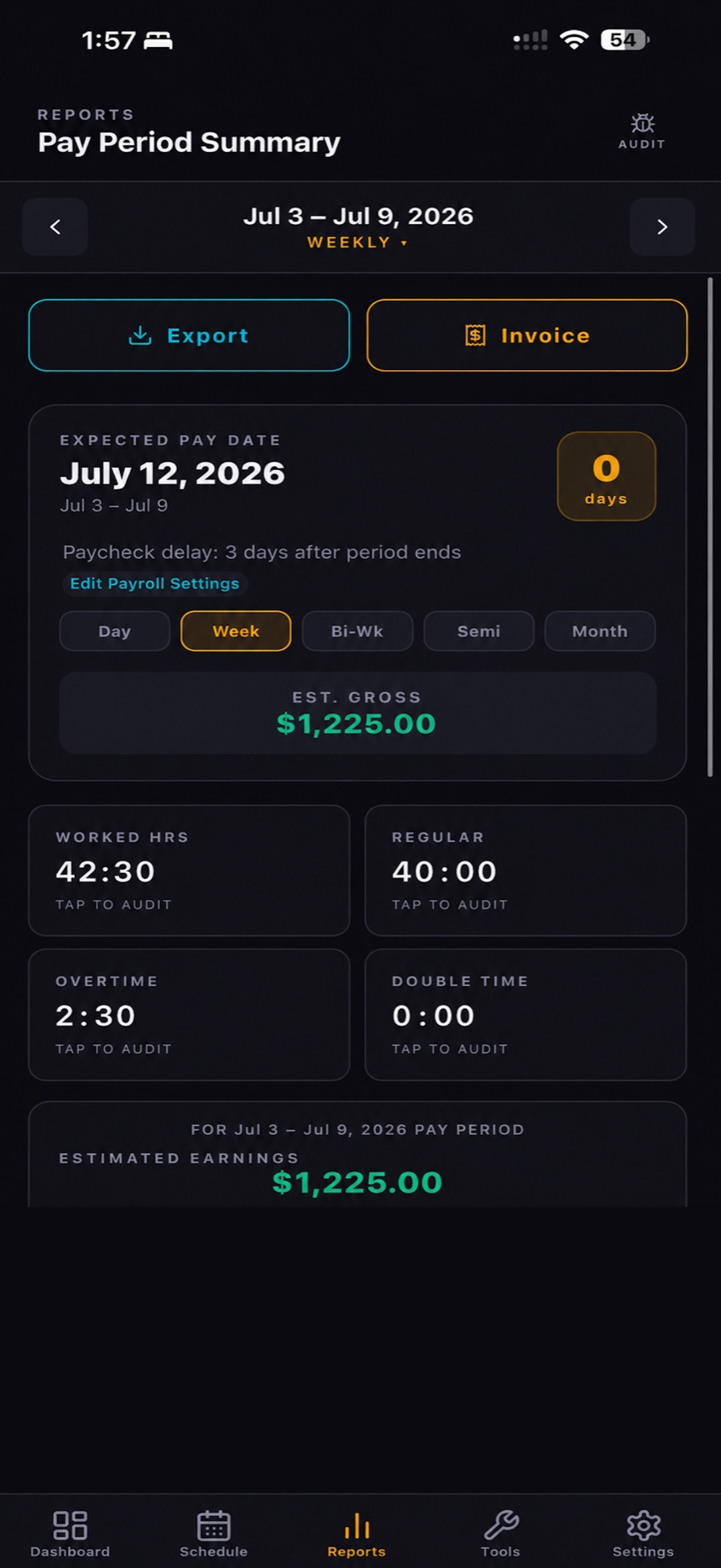
Flex 40 pay period summary report
How it works

Four steps to a paycheck you can trust.

Most time apps stop at counting hours. Flex 40 keeps going — it works out what that time is worth, then holds it against what actually landed in your account.

1

Set your rates

A guided setup walks you through your hourly rate, overtime rules, pay frequency and tax profile. Eight questions, once.

2

Log your time

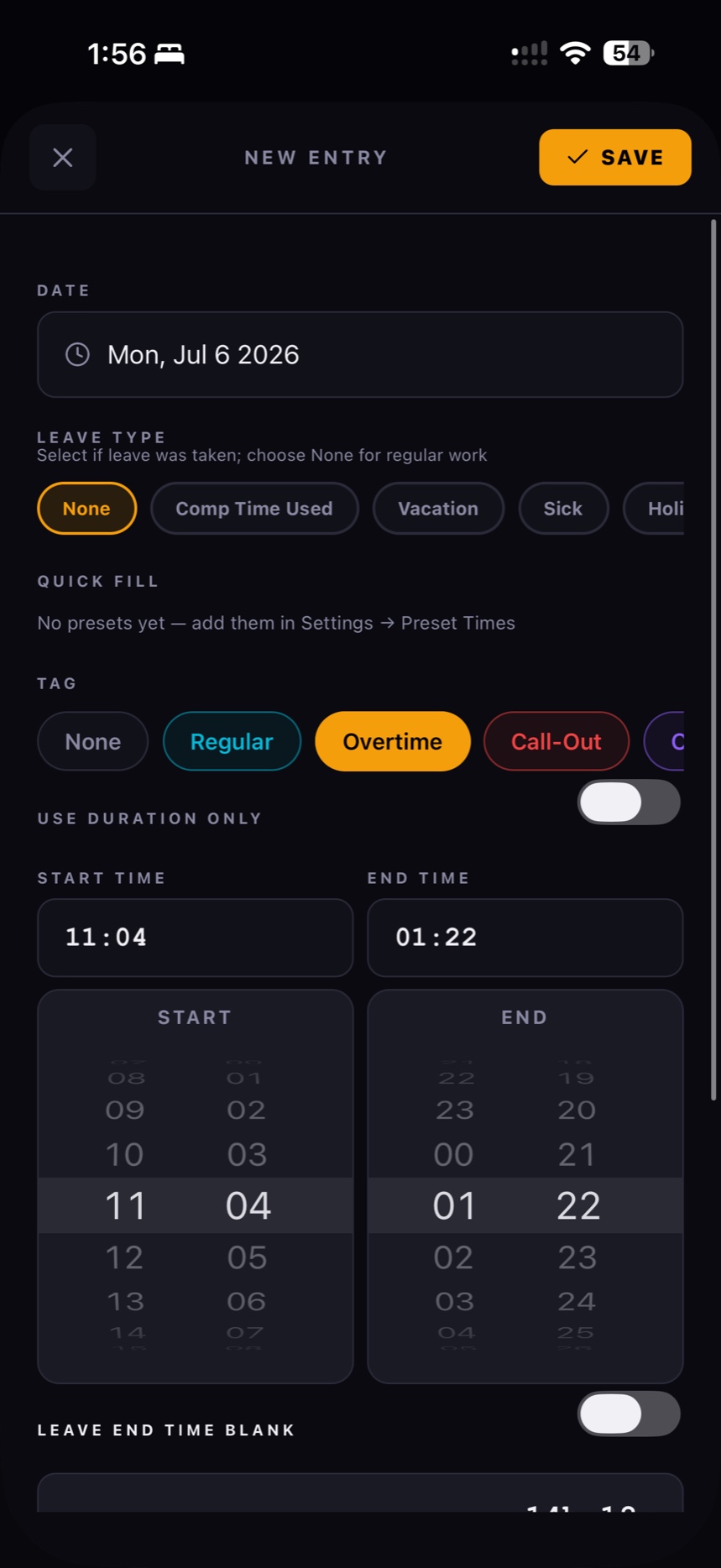
Hit Start Shift, or enter hours after the fact. Tag overtime or a call-out, add breaks, miles, a case number or notes.

Flex 40 new entry screen with leave type, tags and start and end times
3

See what you're owed

Regular, overtime and double-time hours priced out for the pay period, with tax and deductions taken off for a net estimate.

4

Check the paycheck

Log what you were actually paid. Flex 40 flags underpayments and shows you exactly where the two numbers diverge.

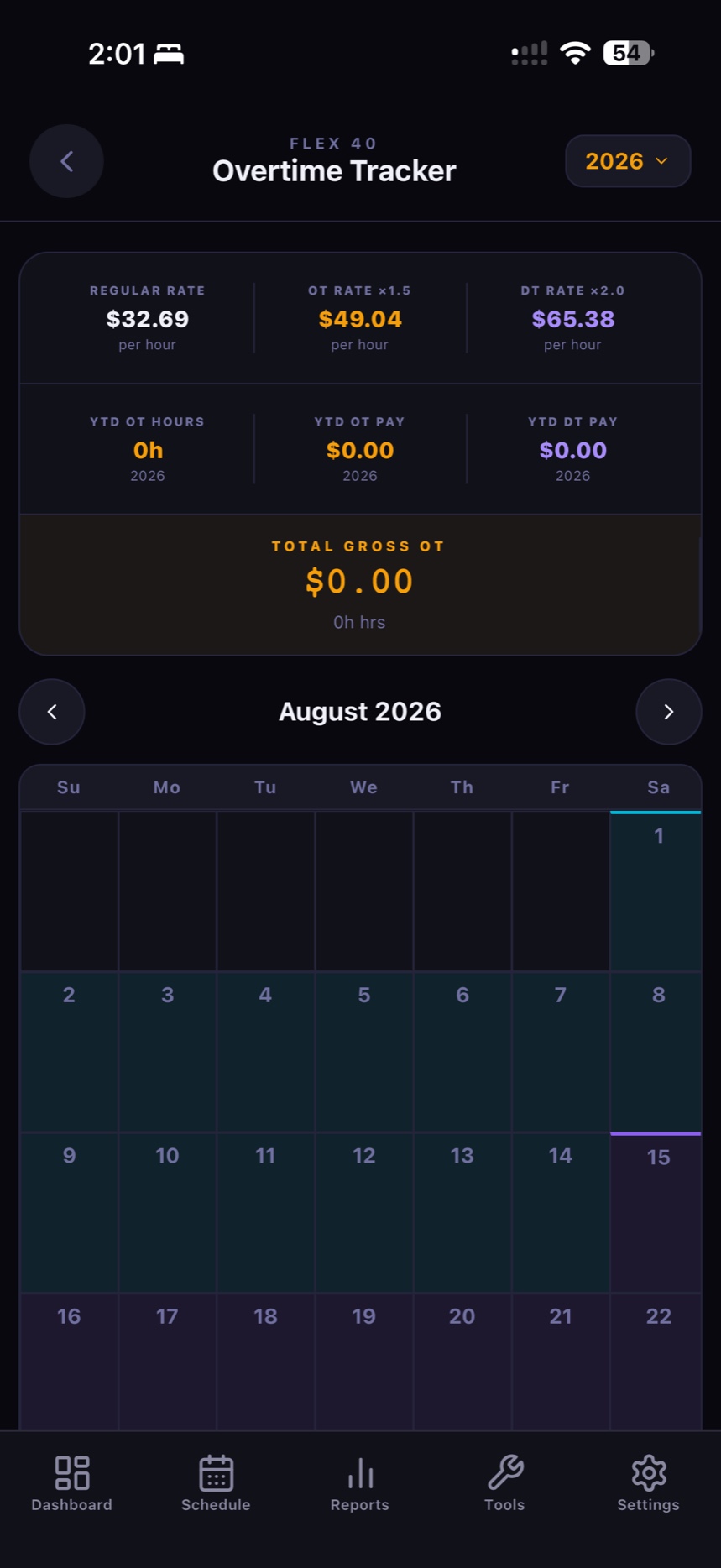
Overtime tracker showing regular, overtime and double-time rates
Overtime engine

Overtime, calculated properly.

Overtime isn't one rule, it's a stack of them — and the order matters. Paid leave is the part most calculators get wrong: it's paid time, so it counts toward your pay, but it isn't worked time, so it must never push you over an overtime threshold.

Daily overtimebeyond 8 h / day1.5×
Double timebeyond 12 h / day · configurable2.0×
Weekly overtimebeyond 40 h / week1.5×
Tagged overtimeany hour tagged “Overtime”1.5×
Paid leavepaid at your regular rateexcluded from OT
Pay period summary showing a $1,225.00 estimated gross with 42:30 worked hours and 2:30 overtime
Reports

Numbers you can hand to payroll.

Every pay period gets a summary you can actually argue from — not a vague weekly total.

  • Expected pay date with your employer's payroll delay built in, so you know when to expect it.
  • Tap to audit any figure — worked hours, regular, overtime, double time — and see how it was derived.
  • Export to CSV or PDF, or generate an invoice if you bill for your time.
  • Daily through yearly — switch the period and the whole report follows.
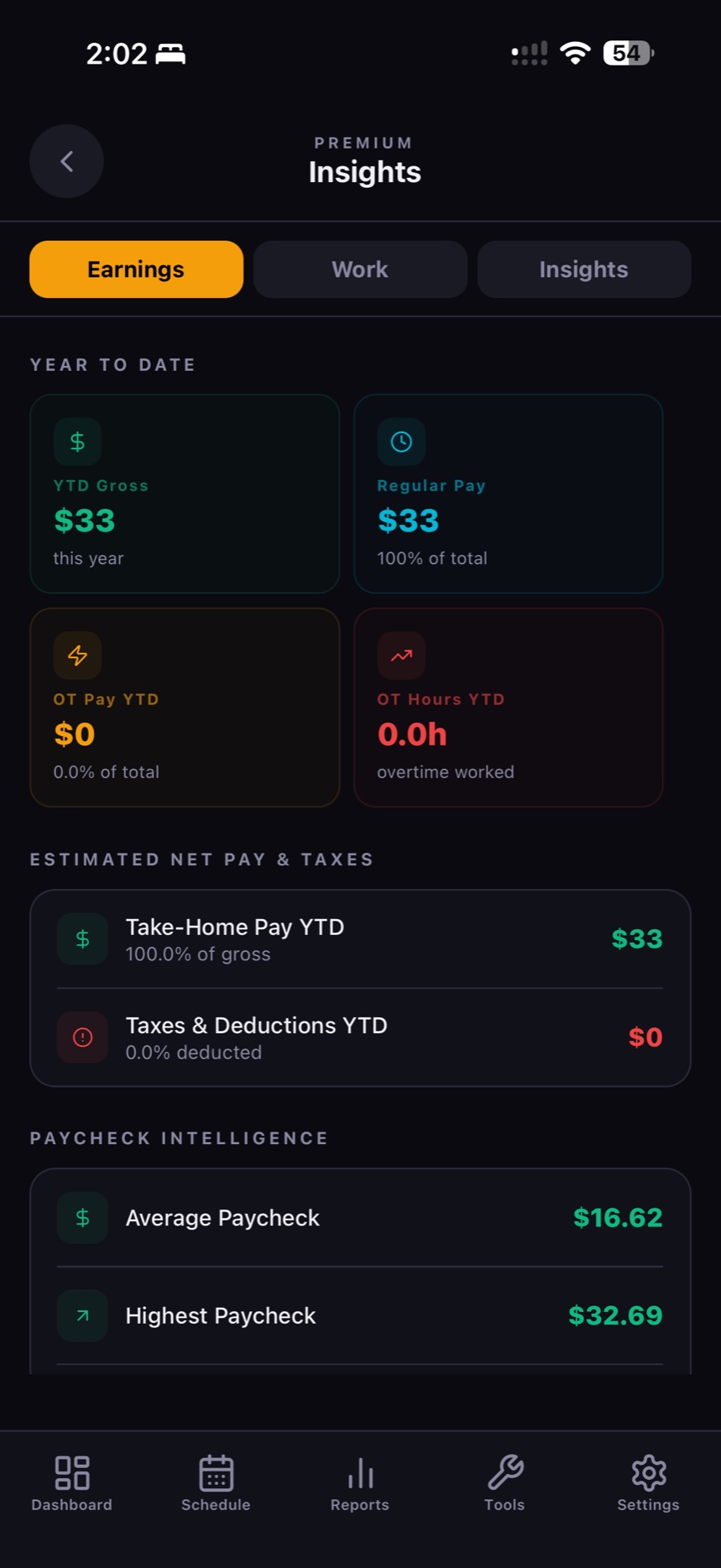
Premium insights showing year-to-date earnings, taxes and paycheck intelligence
Insights

Where the money actually went.

Year-to-date gross, what share came from overtime, what tax took, and what landed in your pocket.

  • Take-home vs gross year to date, with deductions broken out.
  • Paycheck intelligence — average, highest and lowest paycheck at a glance.
  • Work patterns that show which days and shifts actually earn you the most.
  • Income projection for the rest of the year based on how you're tracking.
Built for real schedules

The parts other apps skip.

Comp time bank

Bank overtime instead of cashing it, at your accrual rate. Set a cap and overflow pays out as cash — automatic or decided hour by hour.

Five kinds of paid leave

Vacation, sick, holiday, comp time used and other paid leave — each paid correctly and each kept out of your overtime math.

Mileage tracking

Log miles against any entry, save preset routes you drive often, and get mileage analytics alongside your hours.

Invoices & exports

Turn a pay period into an invoice, or export raw entries to CSV. Useful whether you're checking a paycheck or billing a client.

80+ milestones

Achievements tied to hours logged, earnings, streaks and overtime records — because the habit is what makes the data worth anything.

Backup & restore

Your records live on your device, so you own the backups. Export a copy whenever you like and restore it on a new phone.

Privacy

No account. No cloud. No sign-up.

Your hours, pay rates, tax profile and every paycheck you log are stored in a database on your phone and nowhere else. There is no Flex 40 server holding your wages, because there is no Flex 40 account. Nothing to breach, nothing to sell, nothing to log into.

Read the privacy policy
Pricing

Pay once. Own it.

Everything you need to log time is free, forever. Pro unlocks the pay engine, the reports and the verification tools — for a single payment, not a subscription that outlives your interest in it.

Flex 40 Pro
$34.99
One time · not a subscription

No monthly fee, no annual renewal, no hidden charges. Every feature Flex 40 ships from here on is included — yours for life.

FeatureFreePro
Add & delete entries
Calendar & weekly views
Past entry history
Custom & preset tags
Basic mileage entry
Match My Paycheck wizard
Work rules & OT config
Overtime tracker
Comp time bank
Tax & deductions
Pay period reports
Export CSV / PDF & invoices
Income projection
Yearly earnings dashboard
Work insights & patterns
Background timer
Backup & export
+ every future feature, included

Stop guessing what your paycheck should say.

Set up your rates once, log your shifts as you work them, and let Flex 40 tell you the number your employer owes you.

Launching soon on both stores
Coming soonApp Store Coming soonGoogle Play
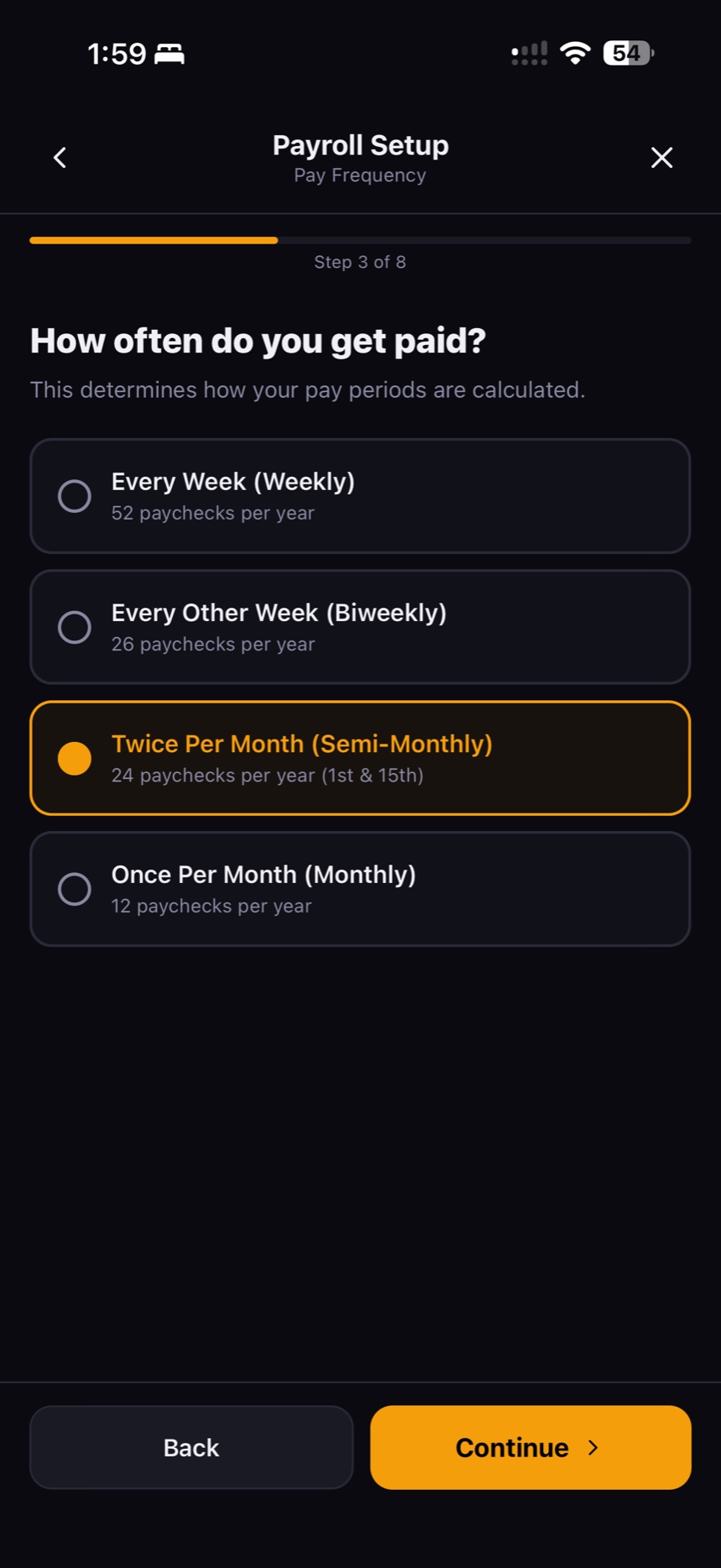
Flex 40 payroll setup asking how often you get paid